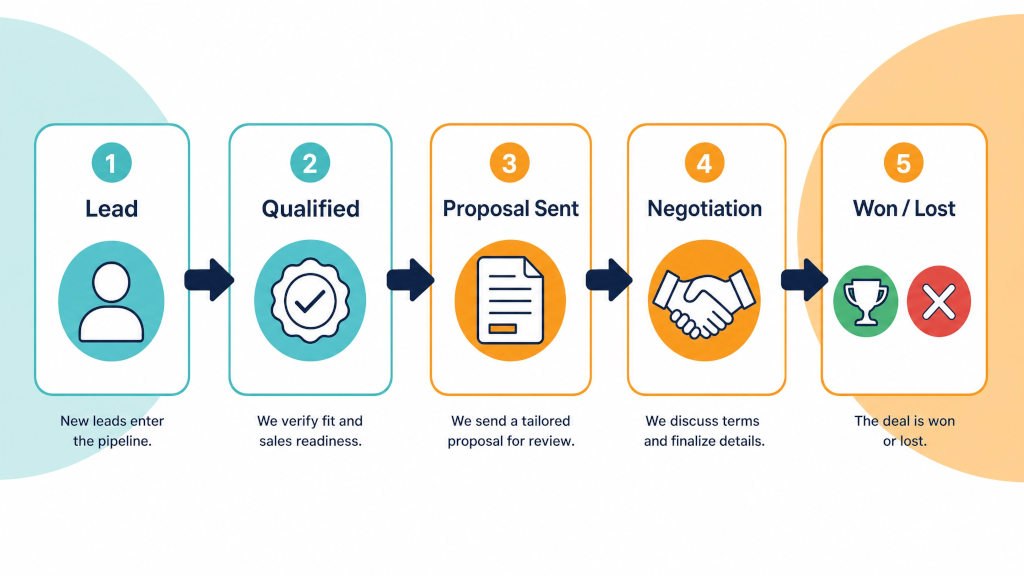

A service business sells a conversation before it sells a job. The prospect needs to explain the problem to someone they trust, and only then does a proposal make sense.
Pipedrive’s default pipeline has five stages: Qualified, Contact Made, Demo Scheduled, Proposal Made and Negotiations Started. In its help centre, Pipedrive describes this as a starting point and recommends changing the stages to match how you sell. The Demo Scheduled stage suits a business that demos a product. A consultancy or a trade business usually has no demo. It has a meeting, and in our experience the sale is won or lost around that meeting and the proposal that follows.
So we build the pipeline for a service business around the meeting and the proposal. Here is the pipeline in our Sales Process Blueprint, including the steps after a deal is won.
Each stage has a clear job and a maximum time a deal should spend in it.

There is no "Qualified" stage. Qualification is the rule for entering the pipeline, not a place a deal sits. A Lead is converted to a Deal after the qualification call, once the budget, authority, need and timeline are clear. When the meeting is booked on that first call, the Deal goes straight into Meeting Booked.
There is one more stage, On Hold, which sits at the end of the pipeline outside the forward path. A Deal moves there only when the client asks to pause, and a revisit activity is always set, at most 90 days out.
The maximum times (also known as 'rotting in days') are what make the pipeline useful. When a deal moves to the next stage, the date is recorded, so you can see how long it spent in each one. A deal that has sat in Proposal Requested for a week is three days past its limit, and someone needs to finish the proposal.
The limits also show you where your process slows down. If most deals overstay in Meeting Booked, the gap between booking and meeting is too long. If they overstay in Proposal Requested, proposals are taking too long to write.
Booked meetings still get missed, so protect them. The confirmation goes out when the meeting is booked, with a short scorecard for the prospect to fill in. Prospects who answer a few questions before the meeting are more likely to turn up.
And the meeting starts with context instead of first questions.
One of the four rules in our blueprint is "forward needs evidence". A deal moves to the next stage only when the buyer has done something that shows it should, such as booking a meeting or asking for a proposal.
A deal that goes quiet should not sit in Proposal Sent for three months. Once the follow-ups have run through, it is marked Lost with a reason: "Unresponsive" sets a check-in 90 days later, and "Revisit later" moves the contact to nurture.
A fresh Deal is opened when the prospect comes back. Your pipeline then shows the work that is live, not the work you hope is live.
For a product business, Won is often the end of the sales process. For a service business, Won is where delivery starts and where the next sale begins. Many pipelines stop at Won, and past clients end up in a list that nobody calls.
When a deal is marked Won in the pipelines we build, two steps follow:
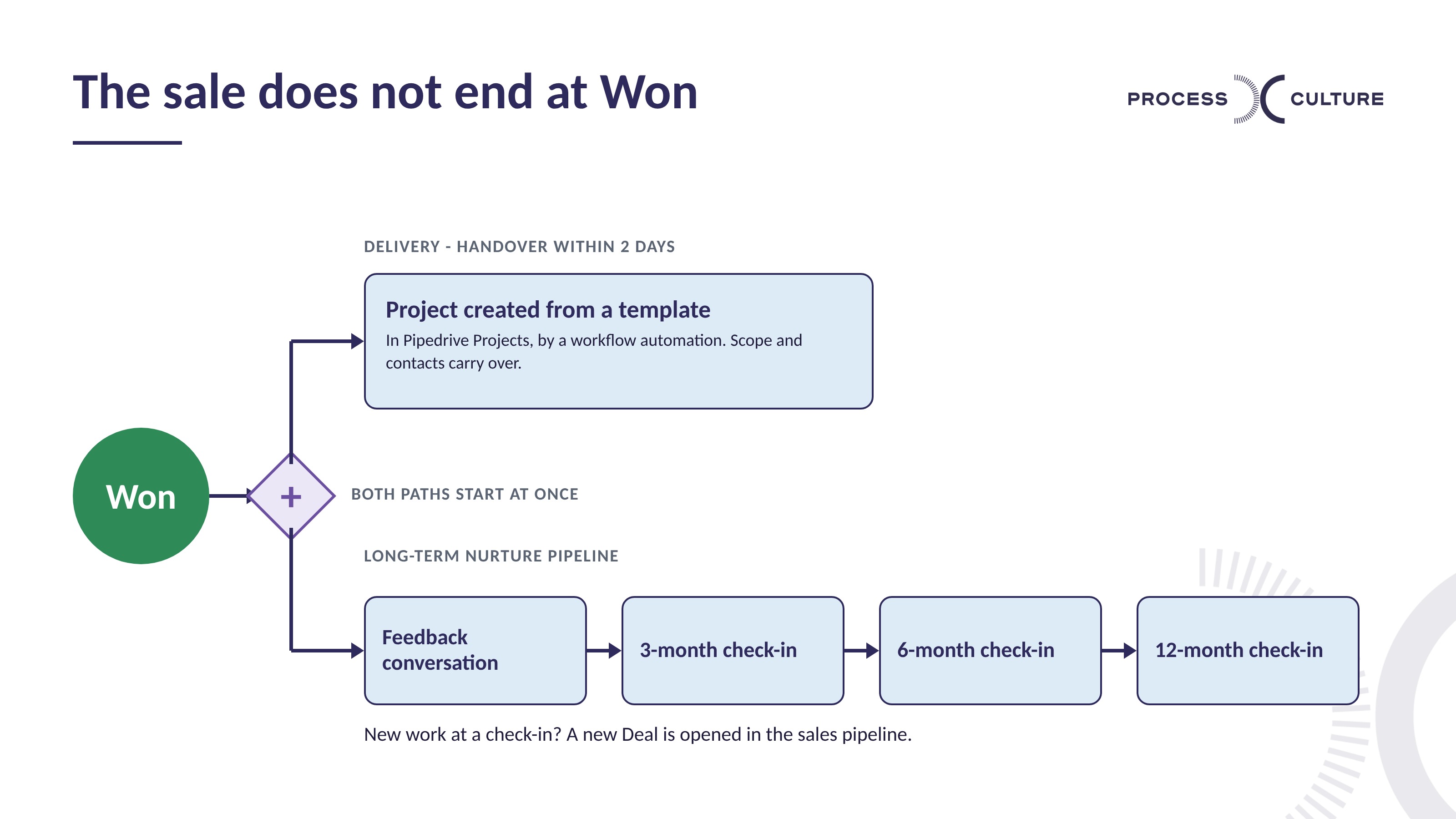
The nurture pipeline keeps past clients out of the sales forecast. It also means every past client has a next activity with a date on it.
For more on stage design, see Pipedrive sales stages explained and How to build a high-converting sales pipeline.
Take your last five won jobs and write down the steps each one went through, from the first enquiry to the signed proposal. Then compare that list with the stages in your CRM. Because the list comes from jobs you have already won, it shows you the stages your pipeline needs, and it usually shows the step where deals stall.
A visual pipeline with drag-and-drop deals, a Leads inbox for unqualified enquiries, activities and reminders, two-way email sync with Gmail and Outlook, workflow automations, reports and dashboards in Insights, a mobile app, and a marketplace of over 400 integrations. Email marketing, web forms and chatbots are available as add-ons.
Pipedrive is a sales CRM. It is used to track every enquiry, quote and deal through the stages of a sales process, log the calls and emails against each one, and schedule the next follow-up so nothing is missed. It is built for selling, not for marketing or support.