
Rolling out a new CRM can feel like pushing a boulder uphill. You've invested in a CRM like Pipedrive, configured your pipelines, and imported your data. But here's the hard truth: if your team doesn't embrace it, none of that matters.
The difference between CRM success and failure isn't the platform you choose. It's how well you train your team to use it.
After helping many sales teams implement Pipedrive, I've learned that effective training isn't about walking through every feature. It's about creating a structured approach that connects the tool to your team's daily reality, addresses their concerns head-on, and builds momentum that carries beyond the first week.
Here's your blueprint for Pipedrive training that actually sticks.
Before we dive into the how, let's acknowledge why CRM training so often falls flat.
The typical approach looks like this: gather everyone in a conference room, fire up a screen share, and click through the interface for an hour while people nod politely and check their phones under the table. Three weeks later, half the team is still managing deals in spreadsheets.
The problem isn't that your team is resistant to change. It's that traditional training treats CRM adoption as a one-time event rather than an ongoing process. People forget 70% of what they learn within 24 hours unless they immediately apply it. And most training sessions fail to answer the question your team is actually asking: "What's in this for me?"
Effective Pipedrive training requires a different approach, one that's gradual, practical, and reinforced over time.
Training doesn't start when you open your CRM for the first time. It starts with the decisions you make beforehand.
Customize for Your Process First
Don't train on a generic Pipedrive setup. Before anyone logs in, configure Pipedrive to mirror your actual sales process. This means your pipeline stages should match the language your team already uses, your custom fields should capture the information they actually need, and your deal values should reflect real numbers.
When your team sees familiar terms and processes, adoption becomes exponential easier. They're not learning a new system and a new process simultaneously.
Identify Your Champions
Every team has early adopters who get excited about new tools. Identify these people before training begins. They'll become your informal support network, the colleagues others turn to when they hit a snag. Give your champions early access to Pipedrive and involve them in the setup process.
Communicate the "Why"
Send a message to your team before training begins that explains why you're implementing Pipedrive and what problems it will solve. Be specific about pain points it addresses: no more lost deals, better visibility over the state of your pipeline, faster follow-ups, clearer forecasting. When people understand the purpose, they're more likely to engage with the process.
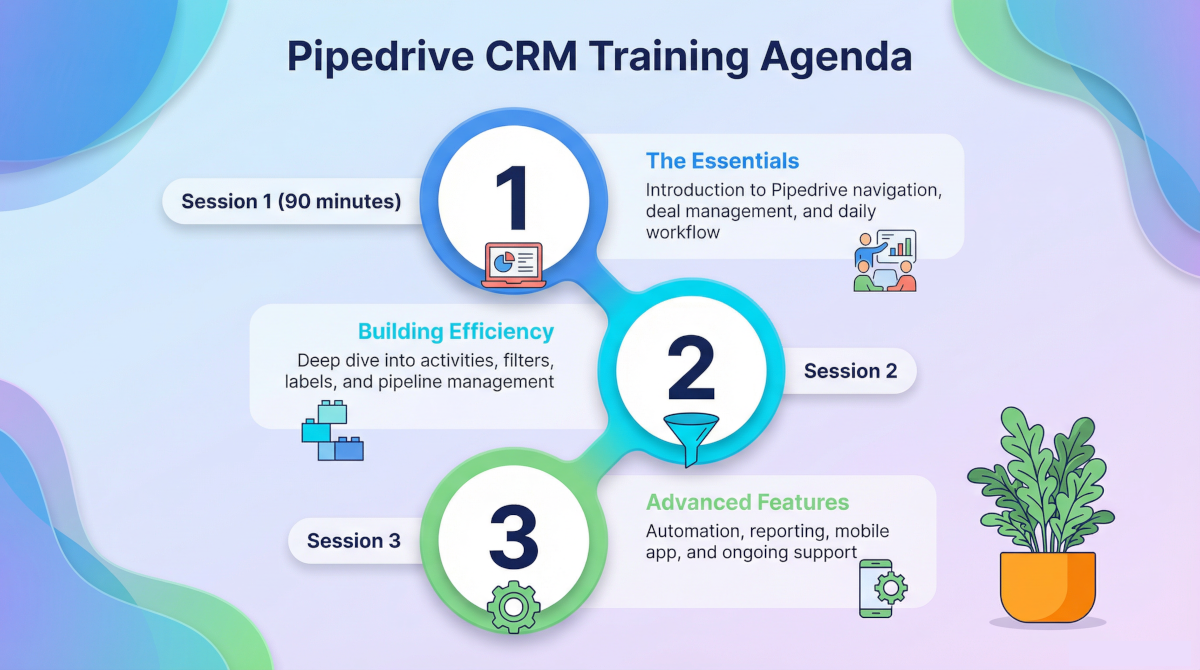
Rather than overwhelming your team with everything at once, break training into three focused sessions spread over two or three weeks. This gives people time to absorb information and apply it before moving to the next level.
This first session covers only what people need to start working in Pipedrive immediately.
The Navigation Foundation (15 minutes)
Start with a simple tour of the interface. Show them where to find their deals, how to access different views, and how to use the search function. Keep it high-level. The goal is orientation, not mastery.
Creating and Managing Deals (30 minutes)
This is the heart of Pipedrive. Walk through the complete lifecycle of a deal from creation to close:
Use real examples from your business. If you sell software, create a sample deal for a software prospect. If you're in real estate, use a property sale. Authenticity - and the use of relatable examples - matters.
The Daily Workflow (30 minutes)
Show your team exactly how they should start each day in Pipedrive. This should typically include:
Walk through a typical day step by step. This clarity eliminates ambiguity about how Pipedrive fits into their routine.
Q&A and First Tasks (15 minutes)
Answer questions, then give everyone their first assignment: add three real deals to their pipeline before the next session. Make it specific and achievable.
Schedule this session three to five days after the first one, giving your team time to work with the basics.
Quick Wins: Activities and Communication Tracking (20 minutes)
Dive deeper into activities, showing how to schedule calls, meetings, and tasks. Demonstrate how to log emails and track communication history. Explain how staying on top of activities drives pipeline velocity.
Smart Tools: Filters, Labels, and Search (20 minutes)
Show your team how to create custom filters to segment their pipeline by criteria that matter to them: high-value deals, stalled opportunities, or deals in specific regions. Demonstrate how labels can organize deals by type or urgency. These features transform Pipedrive from a database into a strategic tool.
Pipeline Management (15 minutes)
Teach your team to think about their pipeline as a whole, not just individual deals. Show them how to identify bottlenecks, spot deals that have stalled, and forecast based on pipeline health. This session helps people move from tactical deal management to strategic pipeline thinking.
Practice and Troubleshooting (5 minutes)
Open the floor for people to share challenges they've encountered. Often, one person's question represents a common struggle.
After a week of daily use, your team is ready for features that enhance efficiency.
Automations and Workflows (25 minutes)
Demonstrate how to set up automations that eliminate repetitive work: automatic activity creation when deals move stages, email notifications when deals sit too long, task assignments based on deal value. Show specific automations that will save them time.
Reporting and Insights (20 minutes)
Walk through the reports your team should review regularly. This might include individual performance dashboards, pipeline forecasts, conversion rates by stage, and win/loss analysis. Help people understand how to use data to improve their approach.
Mobile App and Integrations (10 minutes)
Show the Pipedrive mobile app and how to use it for quick updates on the go. Briefly cover key integrations your company uses, whether it's email sync, calendar integration, or connections to other business tools.
Ongoing Support and Best Practices (5 minutes)
Explain where people can find help going forward: documentation, your internal champions, or scheduled office hours. Set expectations for continued learning.
Training sessions are important, but they're not sufficient. Here's how to ensure Pipedrive becomes embedded in your team's daily work.
Make It Mandatory and Visible
Pipedrive can't be optional. Make it clear that all deal management happens in the CRM. Lead by example. If you're a sales manager, use Pipedrive in your one-on-ones to review pipelines. Reference Pipedrive data in team meetings. When leadership visibly relies on the tool, everyone else is more likely to follow.
Provide Just-in-Time Support
Create short video tutorials or written guides for common tasks that people can reference when they need help. A five-minute video on "How to Create a Deal" beats combing through documentation when someone can't remember the steps.
Schedule Regular Check-Ins
In the first month, hold brief weekly office hours where people can ask questions and get unstuck. After that, transition to monthly sessions covering tips, tricks, and advanced features.
Celebrate Early Wins
Publicly recognize team members who are using Pipedrive effectively. Share success stories about deals won because someone set a timely reminder or followed up based on a Pipedrive notification. Positive reinforcement accelerates adoption.
Gather Feedback and Iterate
Ask your team what's working and what's not. Are the custom fields useful? Is the pipeline structure making sense? Are automations helping or creating confusion? Be willing to adjust your Pipedrive configuration based on real-world use.
Connect CRM Usage to Outcomes
Show the correlation between Pipedrive adoption and results. If someone consistently updates their pipeline and sees their close rate increase, highlight that connection. When people see how the tool helps them succeed, motivation becomes internal rather than imposed.
Even with solid training, certain challenges arise predictably.
The "I'll Enter It Later" Syndrome
Some team members will promise to update Pipedrive at the end of the day or week, then never do it. Combat this by making real-time updates non-negotiable. Explain that delayed data entry creates inaccurate forecasts and missed follow-ups that cost real revenue.
Overcomplicated Customization
It's tempting to create custom fields for every conceivable piece of information. Resist this urge. Too many required fields slow down deal creation and frustrate users. Start minimal and add fields only when there's a clear business need.
Inconsistent Definitions
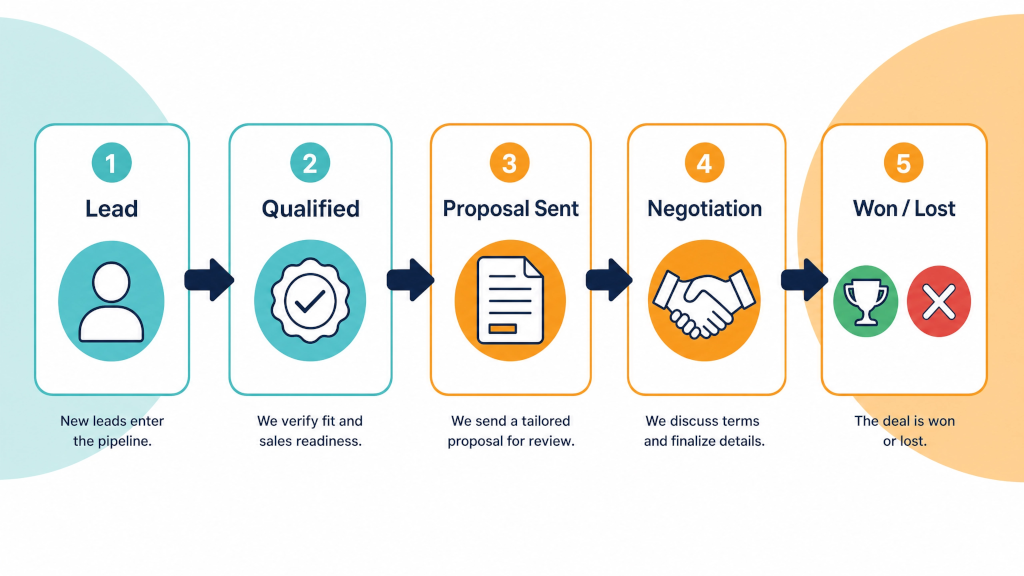
If different team members interpret pipeline stages differently, your data becomes meaningless. Create clear definitions for each stage that everyone understands and follows. "Qualified" might mean different things to different people unless you explicitly define it.
Training and Forgetting
The most common mistake is thinking training is finished after the sessions end. Adult learning requires repetition and application. Plan for ongoing reinforcement through tips in team meetings, regular refreshers, and continuous support.
How do you know if your training is working? Monitor these indicators:
Daily Active Usage: Are team members logging in daily and updating their pipelines? Low login rates signal a problem.
Activity Management: Whether team members are creating daily activities is also a clear indicator of adoption. Run activity reports segmented by team member to identify team members that might need help using Pipedrive or its activity management features.
Data Quality: Are deals complete with all necessary information? Are notes being added? Are activities being logged?
Pipeline Accuracy: Does the data in Pipedrive match reality? Can you forecast with confidence based on what you see?
Time to Adoption: How quickly do new team members become proficient? If onboarding new people to Pipedrive takes more than two weeks, your training process needs refinement.
User Sentiment: Conduct informal check-ins. Do people find Pipedrive helpful or burdensome? Are they discovering features that make their work easier?
Successful Pipedrive adoption isn't achieved in three training sessions. It's built over months through consistent reinforcement, ongoing support, and a culture that values accurate data and systematic processes.
Start with solid training that's practical, focused, and spread over time. Make CRM usage visible and non-negotiable. Support your team as they learn. Gather feedback and improve your approach. Celebrate success.
When you invest in training properly, Pipedrive transforms from "that tool we're supposed to use" into the central nervous system of your sales operation. Deals stop falling through cracks. Forecasts become reliable. Your team spends less time on administrative work and more time selling.
That's the promise of CRM done right. And it all starts with how you train your team.
Ready to implement Pipedrive in your organization? Start with the pre-training foundation, customize your setup to match your process, and commit to the three-session training approach. Your future self will thank you when your team is actually using the CRM six months from now. Book a call with us to see how Process Culture can help train your team.