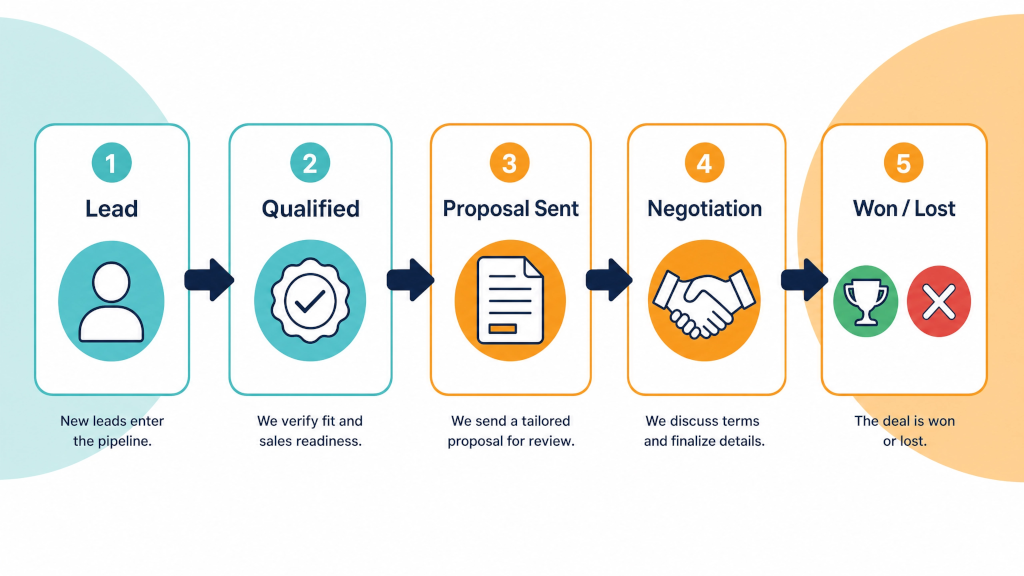

By now you should have run real quotes through Pipedrive for two to three weeks. If you have followed Part 1 and Part 2 of this series, you should have a deals pipeline that matches how you sell, as well as an activities list that you check each morning, and at least one automation that has help you chase up an opportunity that you might otherwise have forgotten.
Ideally by the end of the trial you'll have enough information to make a decision on whether to go with Pipedrive or not.
When the trial period finishes, you typically lose access to Pipedrive unless you have picked a plan. We can nearly always arrange trial extensions - but only for an additional week or two at this stage.
Nothing is charged automatically - since there was no card on file - so the only risk is the other way: your deals, notes, emails and automations are in there, and the account access is restricted.
Pipedrive keeps trial data for a period after expiry so you can still subscribe and pick up where you left off. Two recommendations, however:
(Check the current terms on Pipedrive's site or contact us for further information.)
Pipedrive's Insights section builds reports from the data you have been entering. You do not need a dashboard with twenty charts. Four reports can help contribute to your decision - to help you answer the question "is this worth paying for?".
1. Deals won and lost, by lead source.
This is why lead source was a required field in Part 1. After three weeks you can see where your enquiries typically come from and which sources turned into work. If half your quotes came from referrals and none from the directory listing you pay for, for example, this is useful information that - over time - will help you decide on how to allocate your marketing dollars.
2. Activities completed, by person.
This report is about whether the follow-up rule from Part 2 has become a habit (and has nothing to do with policing anyone in your team). If one person logged forty activities and another logged four, you have found out something about how work gets done - and it is better to know and manage the situation effectively.
3. Deals by stage - where they sit and how long.
The pipeline view shows this live, and Insights lets you report on it. Look for the stage where deals pile up (where deals stay too long and start to become "rotten"). Almost always it is in the "Quote sent" stage of a B2B pipeline. That is the stage where quote follow up automations are extremely important - and where the adage "the fortune is in the follow up" is proven true. By understanding where deals stall, you'll be able to see where money is potentially walking out the door - and adjust your process accordingly.
4. Lost reasons.
When you mark a deal as lost, Pipedrive will prompt for the "lost reason" - for you to specify why the deal was lost. If your team has been filling this field in after every lost deal, you now have some honest answers about why quotes did not convert. "Too expensive" and "went quiet" are different problems with different fixes.
Did Pipedrive help you convert a quote during the trial? In the last three weeks, did a follow-up go out that would have been otherwise missed? Did a lead get quoted faster? Did you know, on a Wednesday, exactly what was in the pipeline without asking anyone?
If a follow-up went out that would have been missed, the trial has paid for itself.
If no, the product is probably not the reason yet. Nearly always one of two things happened: the stages did not match how you actually sell (fix them - it takes an hour), or the team never adopted the daily activities habit. Both are fixable inside the trial with the free one-hour call.
Pipedrive is priced per user, per month, with a discount for paying annually. There are several tiers to choose from.
Pick the tier that has the features you used in the trial:
Pay monthly for the first two or three months if you are still uncertain. Go annual once you know it has stuck - the saving is worth it then.
Australian accounts are billed in Australian dollars, with GST added at checkout. Current prices are on Pipedrive's pricing page; we deliberately do not print them here because they change.
Subscribing does not reset anything in your account (although you may lose access to some features if you've downgraded from Premium to Growth or lower). Your pipeline, deals, contacts, emails and automations stay exactly as they are. You add a credit card and pick the plan you'd like to go with.
What you should do once you've subscribed:
If you would rather not do that yourself, this is what a Pipedrive Onboarding engagement with Process Culture covers: the process mapped, the account built to match, the automations written, the team trained, and the reports set up.
That is still a great outcome. You have spent 30 days learning what a CRM has to do for your business. Export your data, cancel the trial (there is nothing to cancel, it simply lapses), and keep the stage definitions - they are useful in whatever you use next.
And if it is a "not yet" rather than a "no" we're happy to extend your trial for a week or two or discuss options when the time is right for you.
Previous: Part 2 - Run real deals through your Pipedrive trial
Start of the series: Part 1 - Set up your Pipedrive free trial around the way you sell
If you have not started yet, start the Extended 30-Day Pipedrive Free Trial - no credit card, and we'll sets it up with you in a free one-hour call.
Ready to have Pipedrive set up and configured for you? Book a call.
You lose access to the account unless you choose a paid plan. Nothing is charged if you haven't provided your card details (if you have, you'll automatically move onto a default Premium paid plan). Pipedrive holds trial data for a period afterwards so you can still subscribe and continue, but export before the end date if you want certainty.
If quotes are being missed or chased late, usually yes. One recovered job typically covers a year of seats for a small team. The trial is the way to find out on your own numbers rather than ours.
No. The account continues exactly as it is. Subscribing adds billing, nothing else changes. If you've downgraded during the subscription process you will lose access to some features that were available on the higher plan.
From the data export option in settings you can download deals, people, organisations and activities as a spreadsheet. Do it before the end date if you are undecided.
The tier that has the features you used. If you used email sync, templates and an automation, you need the tier that includes those - Growth plan at a minimum. Pay monthly until you are sure on your choice of plan.