
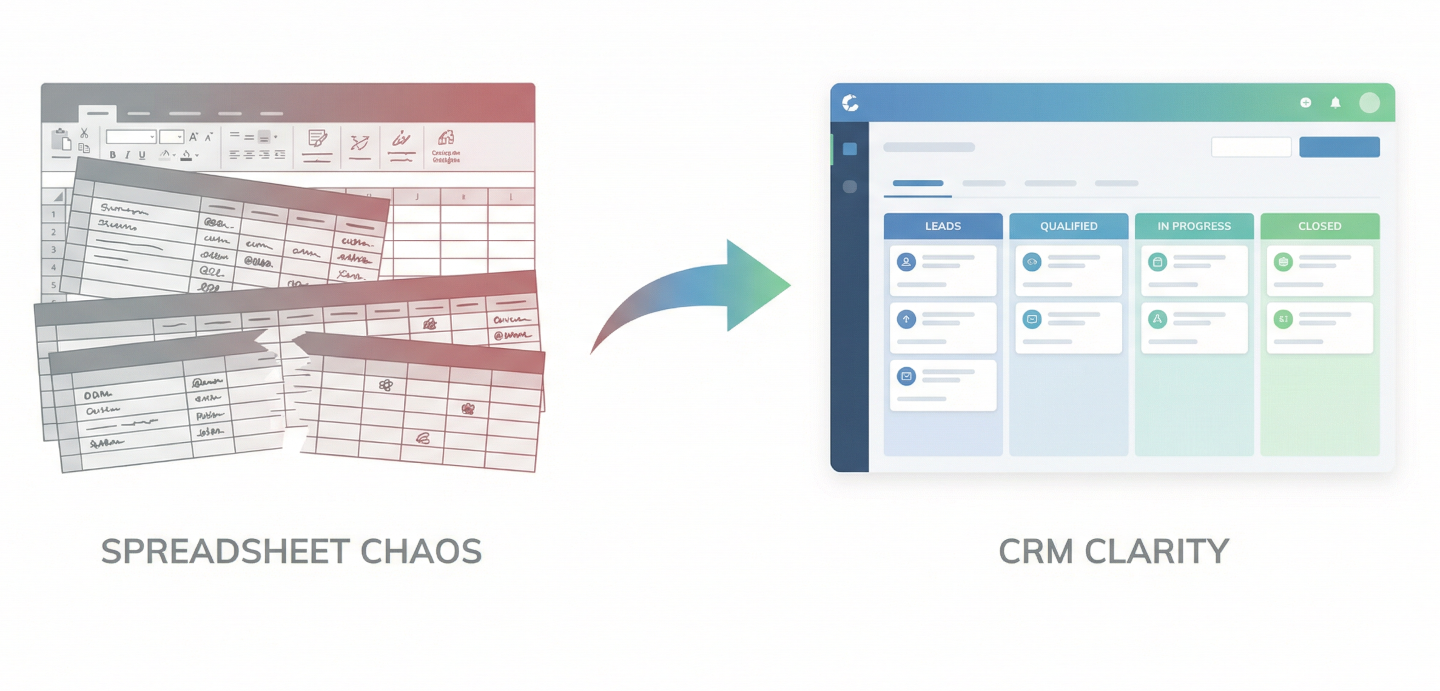
You're probably already feeling it. The spreadsheet that once tracked your leads perfectly is starting to crack under the weight of your growth.
Rows are getting lost. Nobody knows which version is the "real" one.
And somewhere in there, a deal slipped through the cracks.
It's a familiar story. Spreadsheets are where almost every sales operation begins - and for good reason. They're fast, free or already included, and everyone knows the basics.
But there comes a point where a tool built for data entry becomes a bottleneck for sales growth. That's when it's time to look at moving to a purpose-built CRM.
Here's why that move matters more than you think - and exactly how to make it without the hassle.
Spreadsheets aren't bad tools. In fact, I'm a big fan of spreadsheets for certain functions. They're just not sales tools. They were designed to organize and calculate data, not to manage relationships, track momentum, or help a team collaboratively close deals.
The limitations don't show up on day one. They accumulate quietly over months, and by the time you notice them, they're already costing you revenue. Every deal that slips through the cracks - maybe because nobody remembered to follow up - costs you money. Sometimes a lot of money.
The most common pain points look like this:
These aren't edge cases. They're the natural ceiling of what a general-purpose tool can do when you push it into a specialized role.
A CRM like Pipedrive doesn't just store the same information in a prettier format. It fundamentally changes how your sales team interacts with that information. Here's where the difference becomes real.
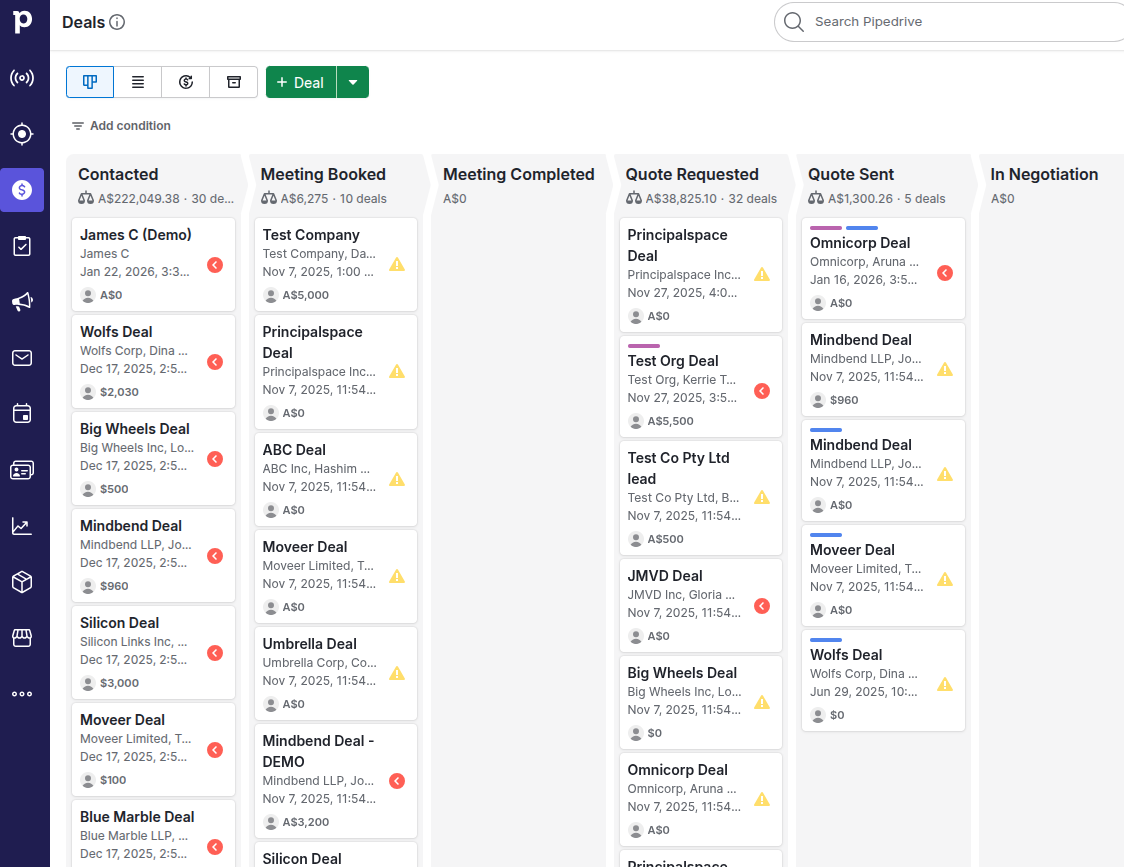
In a spreadsheet, your pipeline is a list. In a CRM, it can appears as a visual (usually Kanban style) board. You can see every deal at every stage - from first contact to closed-won - laid out in columns you can drag and drop.
This isn't just cosmetic. When your entire team can see the shape of the pipeline in real time, they make better decisions about where to focus energy. Managers spot stalled deals before they die. Reps see which stages need attention. The pipeline stops being an abstract concept and becomes a shared, living tool.
One of the biggest time sinks in spreadsheet-based sales is manually logging activity. A CRM like Pipedrive integrates with your email, calendar, and phone to capture calls, messages, and meetings automatically - attached to the right contact and the right deal.
This means your sales history is accurate without anyone having to remember to update a row in a spreadsheet. When you pick up the phone to call a lead - if you're using best practice activity management - you can see exactly what was discussed last time, when it happened, and what the next step was supposed to be.
Spreadsheets have no concept of "what happens next." A CRM does. You can set tasks, schedule reminders, and build automated sequences that keep deals moving. If a follow-up email is due on Thursday and nobody sends it, the system flags it (an activity marked red and/or an email reminder to a sales rep to follow up). This kind of built-in accountability is virtually impossible to replicate consistently with a spreadsheet and a shared Google calendar.
Want to know your average deal cycle length? Which lead source converts best? How much revenue is at risk this quarter? How did your most recent campaign work out? In a spreadsheet, answering these questions means building pivot tables from scratch and hoping the data is clean enough to be meaningful. In a CRM, these reports are generated automatically from the data your team is already entering. You get a real-time dashboard instead of a weekly spreadsheet export.
When everyone works from the same CRM, there's less need for "status update" meetings just to find out where things stand. A manager can review the pipeline before a Monday morning call and already know what needs discussion. A new sales rep can look at a deal someone else started and understand the full context without asking. This shared visibility is one of the highest-impact benefits of moving to a CRM, and it's one of the hardest things to replicate with spreadsheets.
There are many CRMs on the market, and the right one depends on your team's size, budget, and complexity. Pipedrive is worth considering because it was built with one philosophy in mind: salespeople should spend their time selling, not maintaining software. I've personally been a Pipedrive customer for almost a decade - and more recently an Authorised Pipedrive Partner. It's a CRM that really hits the spot when it comes to great usability, value for money and it's great features and integrations.
Pipedrive's interface is organized around a visual pipeline - the same structure most sales teams already think in. It's designed to be low-friction to adopt, which matters enormously when you're asking a team to change tools. The automation features are powerful but accessible, meaning you don't necessarily need a developer to set up standard workflows - although development support is recommended for more advanced workflows. Pipedrive integrates cleanly with the tools most teams already use - email providers, communication platforms, and marketing tools.
That said, Pipedrive isn't the only strong option. Salesforce is more powerful for larger, enterprise-level organizations. HubSpot is excellent if you want CRM tightly coupled with marketing automation - although you'll often notice costs escalating if you need more advanced features. The principles in this post apply regardless of which platform you choose.
The principal reason teams stay on spreadsheets too long isn't cost or complexity - it's fear of disruption. The good news is that a well-planned migration is less painful than you'd expect. Here's our recommended approach:
Before you change or migrate anything, understand what's in your current spreadsheet. Not just the column headers - you'll also need to understand the actual data quality. Are there duplicate contacts? Outdated phone numbers? Deals that closed a year ago still sitting in the "active" tab? This is your chance to clean up before you migrate, not after. A messy spreadsheet migrated into a CRM is just a messy CRM. You'll also need to look at enriching the contact data you have - with tools such as Surfe or Apollo.
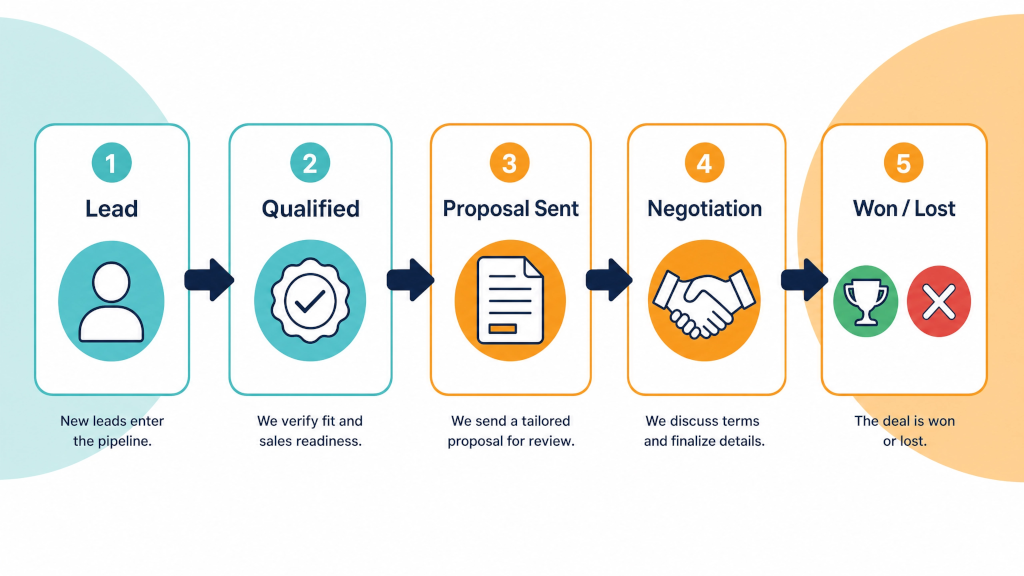
Most CRMs let you customize the stages a deal moves through. Sit down with your sales leads and agree on what those stages look like for your business. Something like: Qualified → Meeting Scheduled → Proposal Sent → Negotiation → Closed Won / Closed Lost. The exact stages matter less than the fact that everyone agrees on them. This structure becomes the backbone of your CRM.
Figure out which columns in your spreadsheet correspond to which fields in the CRM. Contact name, company, email, phone, deal size, stage, last activity date - these are the core fields. Anything that doesn't have a clear home in the CRM either needs a custom field or probably doesn't need to be tracked at all. This mapping step is where you avoid the common mistake of trying to recreate your spreadsheet exactly inside the CRM. The CRM has a different structure for a reason - work with it, not against it.
Don't dump everything in on day one. Start with your most active deals - the ones that are live right now and moving toward a close. Get those into the CRM first, make sure they look right, and have your team start using the tool for those deals only. Once that feels natural, bring in your broader contact list and historical data. This phased approach reduces the risk of confusion and lets people build confidence with the tool before they're fully reliant on it.
For the first one to two weeks, keep the spreadsheet as a backup. Not as the primary tool, but as a safety net. If someone can't find something in the CRM, they know where to look. This parallel period also helps you catch any data that didn't migrate cleanly. After two weeks, retire the spreadsheet. Leaving it open indefinitely is the fastest way to undermine the transition.
The biggest adoption failure isn't that the CRM is too complicated - it's that people don't see how it makes their specific job easier. When you train your team, focus on the workflows they use every day. Show them how to log a call in thirty seconds. Walk them through what happens when a deal moves to the next stage. Demonstrate the reporting dashboard so they can see the value firsthand. Training should answer the question "How does this make my day better?" not just "Here's where the buttons are."
Once the CRM is live, it only works if everyone uses it. Set a clear rule: all deal activity goes into the CRM. No side spreadsheets, no "I'll add it later." This isn't about micromanagement - it's about data integrity. A CRM is only as good as the information inside it. If half the team is updating it and half isn't, you're back to square one with a different tool.
Spreadsheets got you here. They were fast to set up, cost nothing, and required no learning curve. But they weren't designed to scale with your sales operation, and the longer you stay on them, the more invisible friction builds up in your process.
A CRM like Pipedrive doesn't just organize your data better - it changes the way your team sells. It makes your pipeline visible, your follow-ups reliable, your reporting meaningful, and your onboarding effortless. The transition takes a little planning, but the teams that make it consistently look back and wonder why they waited.
If your spreadsheet is starting to feel like it's holding you back, it probably is. The move to a CRM is one of the highest-leverage changes a growing sales team can make. The tools are ready. The only question is when you're ready to make the switch.
If you'd like to discuss how your business can best make the transition to a CRM or how to better streamline and automate your sales process - book a complementary 30 minute call.