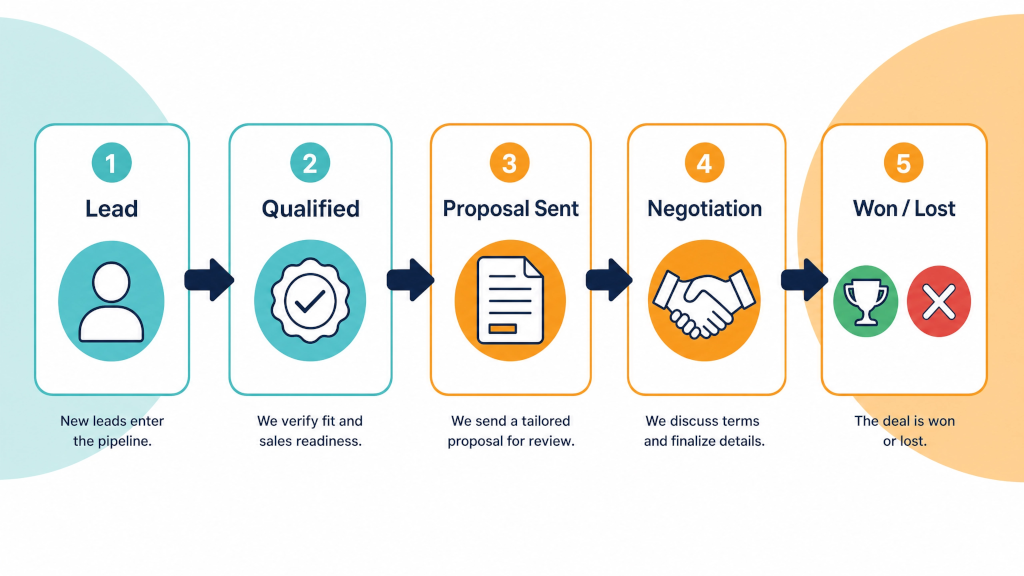

If your sales pipeline looks full but your close rate tells a different story, the problem probably isn't the number of deals you have - it's which ones you're spending time on. Pipedrive's new Scores feature (part of its Pulse toolkit) is designed to fix exactly that, giving sales teams a clear, data-driven way to prioritise the opportunities most likely to close.
Here's everything you need to know about how it works and why it matters.
Many CRMs default to treating every deal in your pipeline as equally deserving of attention. The result? Sales reps spend hours chasing cold leads on gut feel, while high-potential deals sit quietly waiting. Without a consistent way to separate the average opportunities from the really great, prioritisation becomes a daily guessing game - and it costs you revenue.
Pipedrive's Scores feature helps to remove that guesswork.
Custom CRM scoring is a built-in feature that helps sales teams evaluate the likelihood of closing deals. Instead of spreading your time thin across every opportunity, you can assign points to the factors that matter most to your business - such as deal size, stage, activity history, or engagement. The higher the score, the stronger the deal.
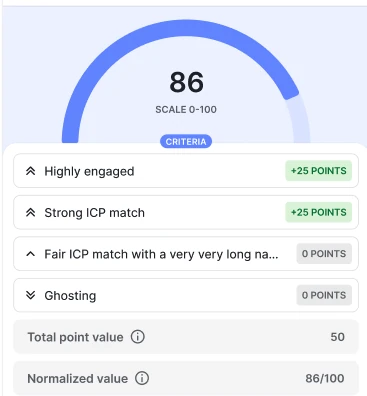
The Scores feature reflects the likelihood of success on a scale of 0–100. In addition to predicting your chances of successful outcomes, it also enables you to compare deals fairly, even when the underlying criteria differ.
This is a key distinction from traditional AI-powered scoring: Pipedrive's Scores are configured by you. It's not a "black box" - you have full control over which factors affect deal evaluation, and you can fine-tune settings over time to match what truly works in your business. What works best is to incrementally apply scoring rules, assess your scores and then go back and fine-tune. Deal scoring is something that gets better with time and application.
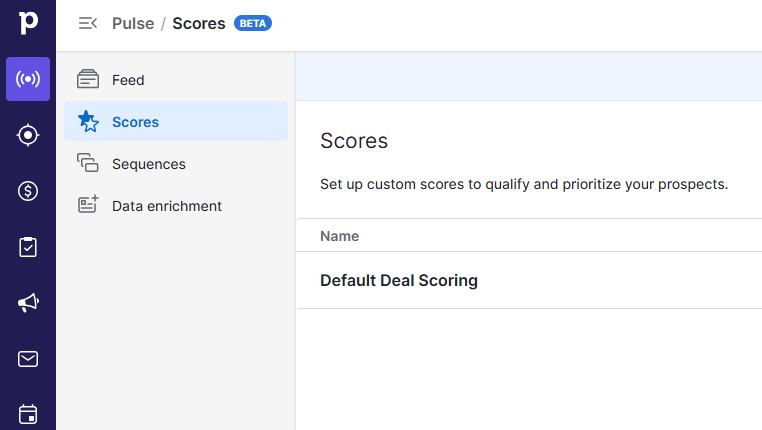
To start using scores, click on the Pulse section, then Scores. From the Score list view, you can create and manage scores. To create a new score, click "+ Score" and fill in the details - enter a name, description, and define your scoring criteria based on your unique business needs.
You can set up to 10 criteria in total across different groups, and you don't need to establish criteria for all three groups. Once a match is found between a deal and your defined criteria, point values are assigned based on the group to which the criteria belong.
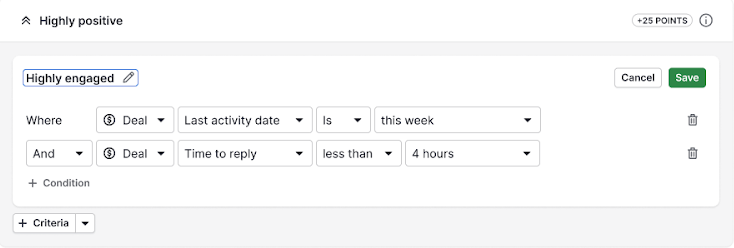
Currently, only deal fields and activity fields can be used to define criteria - covering things like deal value, pipeline stage, last activity date, and custom field data.
Before committing, Pipedrive lets you preview how your scoring rules will behave against real deals in your pipeline. This step is important - it gives you full transparency on how each score is calculated before you activate it.
One of the most powerful aspects of the feature is that it's never static. Scores update automatically as deal data changes, giving you a clear, always-fresh view of your pipeline without manual effort. That means as a deal progresses through stages, accumulates activities, or changes in value, its score adjusts in real time.
Once a score is active, the score appears directly in your deal list and detail views. Your team can view scores in deal lists and detail views with full transparency on how each score was calculated. This turns prioritisation into a quick visual decision - instead of reading through notes or relying on memory, reps can instantly see which deals to focus on next.
Only one score can be active at once in a given pipeline. When activating a new score in a pipeline that already has an active score, you'll need to confirm which score should become active. This keeps things clean and prevents conflicting signals across your team.
Scores are managed by deal admin users. Deal regular users can only view scores. This is a sensible permission structure - it means scoring logic is set centrally by team leads, while individual reps benefit from the output without being able to accidentally break the rules.
In terms of plan availability, the Scores feature is available on Premium and higher plans. If you're still using one of the older pricing tiers, the Score feature may also be available in the original Power plan (limited to 5 scores per company) and the Enterprise plan (limited to 10 scores per company).
Deal Scoring doesn't exist in isolation. Custom scoring works alongside the Pulse toolkit to give you a complete system for smarter prospecting and deal management - including data enrichment to complete missing company and contact details, Sequences to keep follow-ups consistent and timely, and Scoring to rank deals based on the criteria that matter most for your business.
Together, these tools represent Pipedrive's push to evolve from a simple pipeline tracker into a genuine sales intelligence platform.
Here's the bottom line: sales teams don't lose deals because they don't work hard enough - they lose them because they work hard on the wrong things. Deal scoring changes that dynamic fundamentally.
Deal scoring in Pipedrive can be set up in just a few minutes, but it can fundamentally change how your team works a pipeline. It reduces or removes guesswork, creates consistency, and helps everyone focus on what actually matters.
Whether you're managing a high-volume inbound pipeline, running SDR-to-AE handoffs, or simply trying to make sure your best opportunities never get neglected, this feature gives you the clarity to act with confidence - every single day.
If you're on a Premium or higher Pipedrive plan, you can access Scores today via the Pulse section in your sidebar. Start with a simple set of 3–5 criteria that reflect what a "great deal" looks like for your business, preview the results against your live pipeline, and activate. From there, let the data guide you - and refine your criteria as you learn what's actually predictive.
Your pipeline hasn't changed. But the way you work it is about to.
Want help setting up deal scoring for your team? Reach out - we'd love to walk you through it.
If you're still on a CRM that doesn't give you this kind of visibility - or you're piecing together spreadsheets and gut feel to manage your pipeline - there's never been a better time to make the switch.
We've partnered with Pipedrive to offer an extended 30-day free trial, giving you twice the usual time to explore the platform, set up deal scoring, and see the difference it makes to how your team works.
Start Your Free 30-Day Pipedrive Trial →
No credit card required. Full access to Premium features. Cancel anytime.