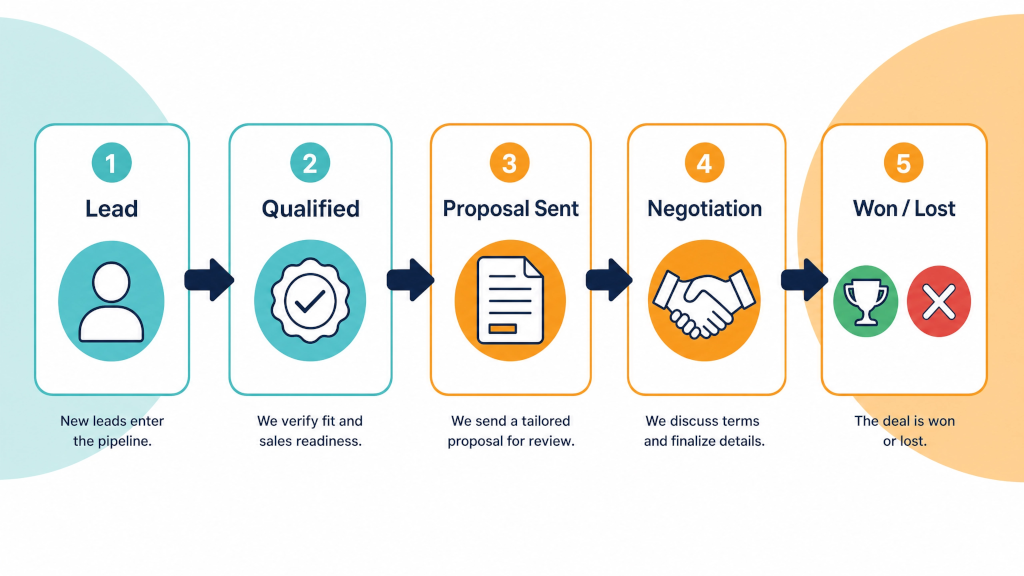

Plenty of Pipedrive trials go nowhere, and the reason often shows up in the first hour. The person setting it up opens the pipeline, keeps every default stage, imports a spreadsheet of contacts and then barely touches it again. Two weeks later the trial expires. "We just didn't get around to it."
This is Part 1 of 3 about getting the most out of your Pipedrive free trial. We will focus on the first three days. Pay attention to the order here: stages before fields. Both before the import. Do it any other way and you will find yourself spending the trial correcting mistakes.
If you have not started yet, use the Extended 30-Day Pipedrive Free Trial rather than the standard 14-day one. Same product, same pricing afterwards, no credit card, and twice the time to test it on real jobs.
There’s no free version of Pipedrive, but they offer a 14 day free trial. If you use our partner link the trial is extended to 30 days.
You might find conflicting information when Googling around so here’s clarification:
Terms and conditions do change so check out the details on the Pipedrive pricing page.
Do this on paper or in a text file, with Pipedrive closed.
A stage is a point in the client journey where something has happened that you can check. "Quote sent" is a stage. "Interested" is not - nobody can tell you when a deal moved into "interested".
For most trades and service businesses the stages look something like this:
Yours will differ. A recruiter has "shortlist sent". A broker has "application lodged". The test for every stage is the same: can a stranger look at the deal and know it belongs there?
Seven stages is plenty. And if you have twelve, some of them are tasks, not stages.
Then write the exit condition for each stage - the thing that has to be true before a deal can move on. "Quote sent" exits when the quote is emailed and the follow-up date is set. Write these down now. They become your first automation in Part 2.
Now open Pipedrive.
Rename the default pipeline to something your team would say out loud - "Residential jobs", "Commercial fit-outs", "New clients". Delete the default stages and add yours in order. Give each one a rotting time if you want a visual nudge on deals that sit too long (a deal that has been in "Quote sent" for ten days should look different from one that arrived this morning).
Start with one pipeline. If you sell two very different things - say, small repairs and large projects - you can add a second later, once the first one is working.
Pipedrive gives you deals, people and organisations out of the box, each with standard fields. You will want a few of your own. But resist adding twenty.
The rule: a custom field earns its place if it changes what you do next or what you report on. Everything else is a note.
Fields that usually earn their place:
Set the important ones as required at the stage where they become known. Lead source is required at "Enquiry received". Quote value is required at "Quote sent". Pipedrive will not let a deal move without them.
This is where most trials go wrong. Someone exports 4,000 contacts from an old spreadsheet, imports the lot, and now the trial account is full of stale data nobody wants to look at.
Import in two passes.
Pass one, open deals: every quote that is live right now, every enquiry you have not answered. Put them in as deals at the right stage with the right value. This is usually 10 to 50 rows. It is the only import that matters for the trial, because these are the deals you will work through in Part 2.
Pass two, contacts, later: your customer list can wait until you have decided to keep Pipedrive. When you do import it, clean the spreadsheet first: one row per person, consistent column names, phone numbers in one format. Pipedrive's import tool maps your columns to its fields and lets you check the result before it commits.
If you are coming from another CRM, Pipedrive can import from several directly. Still do the open deals first, by hand if need be, so the pipeline is working on day 3.
Invite the two or three people who send quotes and chase them, and leave the rest of the company out for now. Give each of them one job to do in Pipedrive this week (Part 2 covers what that looks like).
Send them the stage definitions you wrote on day 1. If they disagree with the stages, good - fix them now, while there are 30 deals in there and not 3,000.
That is a trial account you can test. Part 2 is about working it every day for the next two and a half weeks.
Next: Part 2 - Run real deals through your Pipedrive trial.
No. There is a free trial, then it is paid software. There is no free tier that runs forever.
No. Nothing is charged at the end either - the account simply stops working unless you pick a plan.
14 days from the standard sign-up. 30 days through an Authorized Pipedrive Partner link such as the one on our trial page.
Yes. Pipedrive imports CSV and Excel files and maps your columns to deals, people and organisations. Clean the spreadsheet before you import it.
If you know your sales process, you can do days 1 to 3 in a couple of hours. If you are not sure what your stages should be, that is exactly what the free one-hour set-up call is for.